Register an Account
Use one-click OAuth registration or username registration. It takes about 30 seconds.
Overview
Xiaomai API supports quick registration with GitHub, LinuxDO, and Google. Traditional username and email registration is also available. Quick registration is recommended because it skips manual form filling.
Registration Entry
Open the Xiaomai API registration page. You will see this screen:
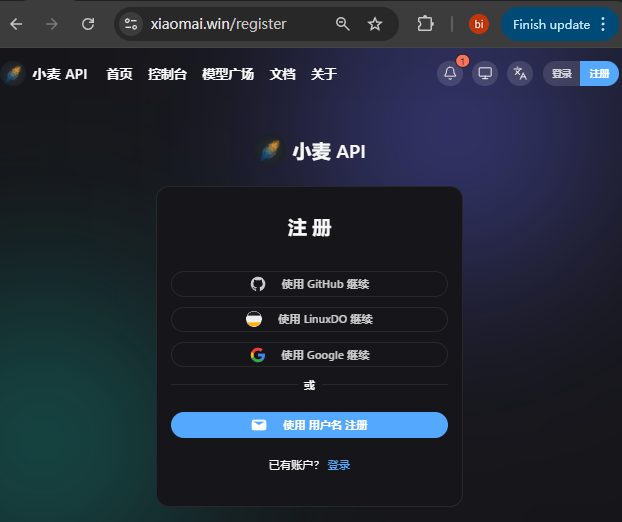
Quick Registration (Recommended)
Click the corresponding button to authorize registration through a third-party platform:
- Continue with GitHub - Good for developers, one-click authorization
- Continue with LinuxDO - Direct login for LinuxDO community users
- Continue with Google - Fast registration with a Google account
After authorization succeeds, you will be redirected back to Xiaomai API and registration is complete.
Tip
Quick registration does not require setting a password. Later, sign in with the same platform.
Username Registration
If you do not want to use a third-party account, click the blue Register with username button at the bottom of the page:
- Enter a username
- Enter your email address
- Set a password
- Complete registration
Note
Use a real email address so you can recover your password and receive notifications.
FAQ
GitHub or Google did not redirect after authorization
Check whether your browser blocked the popup. Allow popups for xiaomai.win and try again.
What if I forget my password?
Click Forgot password on the login page and reset it through your registered email. Quick-registration users can sign in with the corresponding platform.
More Questions
Read the FAQ or contact support.
Next Steps
After registration:
- Create an API key - Get an API key
- Top up balance or redeem a code - Add account balance
- Deploy a tool - Start using AI coding tools